
Double Exposure AI Art Generator | Blend Portraits with Nature
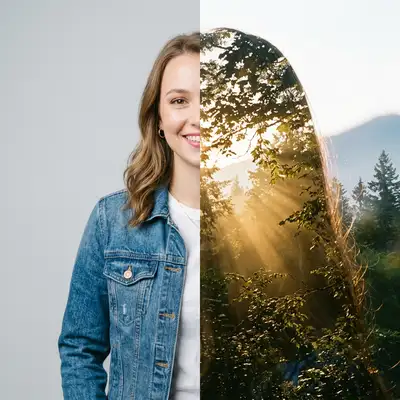
Unify art and nature. Create breathtaking, professional double exposure portraits that blend your profile silhouette with misty mountain forests and sunbeams.
Drag and drop your image here, or click to browse
Examples
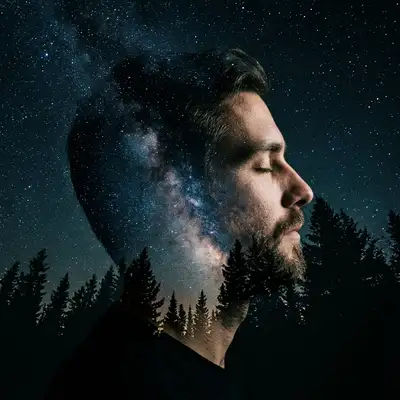
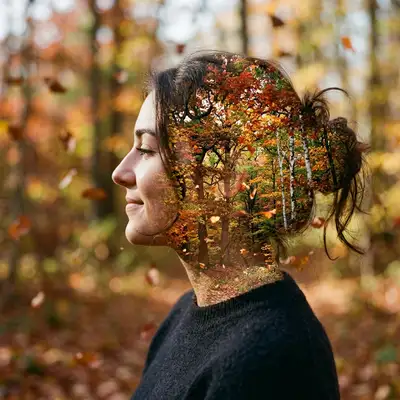
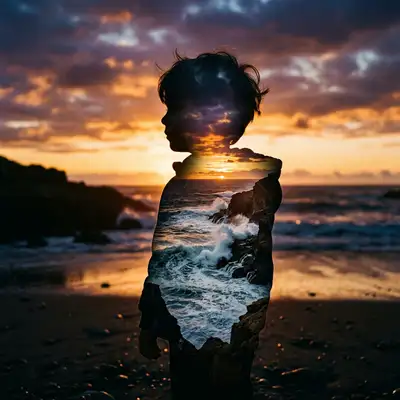
Explore our gallery of beautiful, poetic collages where human silhouettes merge with the natural world.
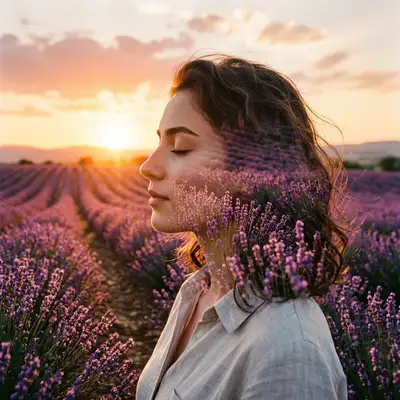
How to Make Photos in Double Exposure Style

Step 1
Upload Your Photo
Prepare your outline. Upload a side-profile or clean silhouette shot—these produce the most dramatic blending borders.
Step 2
Wait 2-5 minutes
Blend with nature. Watch our AI merge your features with a scenic pine forest, placing misty mountains and sunbeams inside your silhouette.

Step 3
Download or Print
Own the masterpiece. Save your high-resolution double exposure or print it on a premium canvas, wood print, or minimalist poster.
Community Gallery
Explore Double Exposure artworks created by our users
Design studio
Custom Double Exposure t-shirt
Generate Double Exposure artwork as a chest print, preview it on a cotton tee, then order.
Design studio
Custom Double Exposure poster
Generate Double Exposure artwork as a vertical print, preview the sheet, then order wall art.
About Double Exposure AI Generator
What is the Double Exposure AI generator?
It's an artistic generator that blends the outline of your portrait with a secondary nature photo (like forests, mountains, and sunbeams) in a single image.
Can I try the Double Exposure filter for FREE?
Yes! We give every new user 1 FREE credit upon signing up, so you can try this artistic blending effect and download the high-res result completely free.
What kind of photos work best for double exposure?
Side profiles, silhouettes, and clean studio headshots with simple backgrounds work best, as they provide a clear boundary for the nature scene to blend into.
Can I choose what nature elements are used?
This specific template blends your silhouette with a beautiful mountain pine forest, misty valleys, and golden sunbeams filtering through the trees.
What physical prints look best with this style?
Since it represents a natural, rustic aesthetic, this style looks gorgeous when printed on wood panels, organic canvas, or textured matte paper.
Is this generator fast to run?
Extremely! It takes less than 2 minutes to generate and output a high-resolution, print-ready file for you.
Try Other Styles
Explore more AI art styles to transform your images

Check out our blog
Discover tips, tutorials, and inspiration for your creative journey

How to Turn Your Real Face into a Custom D&D Character Portrait (For Your Next Tabletop Campaign)
Stop scrolling Pinterest for generic fantasy art. Learn how to transform your own selfie into a battle-hardened D&D character portrait and print it onto custom campaign merch.

How to Turn Any Photo into Printable Line Art & Coloring Pages (In Under 30 Seconds)
Looking for custom coloring pages or tattoo outlines? Learn how to turn any portrait, pet photo, or landscape into a clean black-and-white line drawing in your browser for free.