
Arcane AI Art Generator | Arcane Style Painted Portrait
Step into the gritty, gorgeous world of Arcane. Our AI recreates the painterly textures, dramatic chiaroscuro lighting, and richly detailed character art that made the show a visual masterpiece. Every brushstroke, every shadow, every glowing highlight — applied to your own photo with stunning accuracy.
Drag and drop your image here, or click to browse

Examples
See the dramatic transformation from photo to painted portrait


How to Make Photos in Arcane Style

Step 1
Upload Your Photo
Upload a clear, well-lit portrait. The AI handles any angle, but front-facing or slight three-quarter views produce the most cinematic results.
Step 2
Wait 2-5 minutes
Your photo gets layered with hand-painted textures, dramatic directional lighting, and the rich color grading that defines the Arcane aesthetic — deep blues, warm golds, and moody shadows.
Step 3
Download or Print
Download your cinematic portrait in high resolution. It looks incredible as a phone wallpaper, framed print, or printed on premium merchandise.
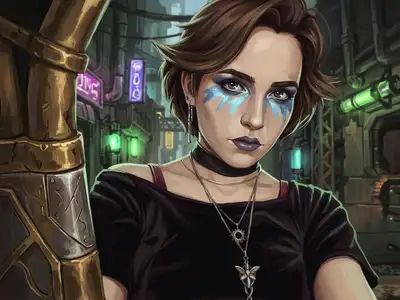
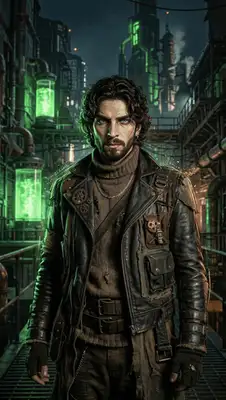
Community Gallery
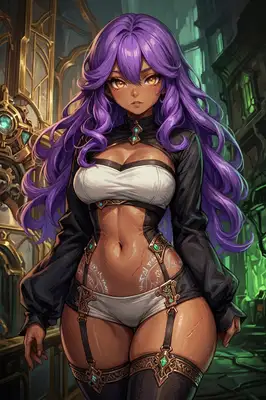
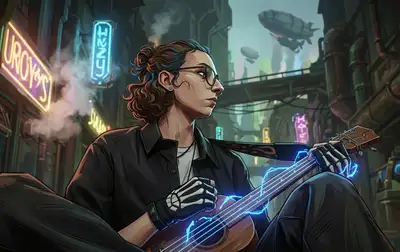
Explore Arcane artworks created by our users
Design studio
Custom Arcane t-shirt
Generate Arcane artwork as a chest print, preview it on a cotton tee, then order.
Design studio
Custom Arcane poster
Generate Arcane artwork as a vertical print, preview the sheet, then order wall art.
About Arcane AI Generator
What makes the Arcane look different from regular digital art?
Arcane's animation by Fortiche Studio blends 3D modeling with hand-painted 2D textures. Our AI replicates this hybrid style — you get the depth and lighting of 3D art with visible brushstrokes and painterly details layered on top. The result is more 'fine art' than 'cartoon.'
Does it work well for profile pictures?
It's one of our most popular styles for profile pics, especially on gaming and social platforms. The dramatic lighting and detailed rendering make you look like a character from a AAA cinematic — people always ask how it was made.
Can I use group photos?
Yes, group photos work well. Each person in the image gets individually rendered with the painted texture treatment. The background also transforms into a moody, atmospheric environment that fits the aesthetic.
Try Other Styles
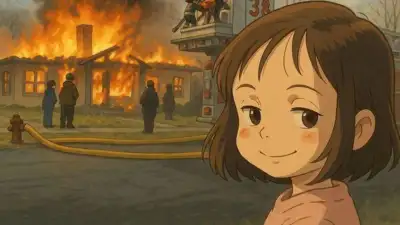
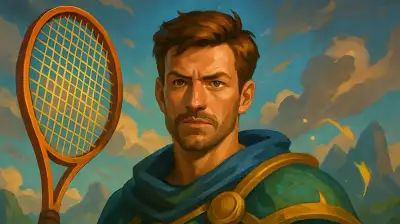
Explore more AI art styles to transform your images

Check out our blog
Discover tips, tutorials, and inspiration for your creative journey

How to Turn Your Real Face into a Custom D&D Character Portrait (For Your Next Tabletop Campaign)
Stop scrolling Pinterest for generic fantasy art. Learn how to transform your own selfie into a battle-hardened D&D character portrait and print it onto custom campaign merch.

How to Turn Any Photo into Printable Line Art & Coloring Pages (In Under 30 Seconds)
Looking for custom coloring pages or tattoo outlines? Learn how to turn any portrait, pet photo, or landscape into a clean black-and-white line drawing in your browser for free.